This research aimed to assess how well a business management software aligned with accounts payable professionals’ the specific needs and performed as expected. The study involved 10 remote moderated sessions, each lasting 90 minutes, with accounts payable professionals from medium-sized companies.
Key highlights of the study included:
- Preparation of a study guide that detailed:
- 5 tasks representing a typical accounts payable professional’s workflow, accompanied by potential efficient approaches for task completion.
- Interview questions to delve deeper into professionals’ workflows and expectations regarding accounting software.
- Surveys to collect participants’ feedback on the software’s usability, ease of use, visual appeal, responsiveness, satisfaction, and difficulty.
The sessions took a comprehensive approach to understanding participants’ experiences:
- Participants were advised not to express their thoughts while completing tasks to gauge how long similar tasks would take in a professional setting.
- Follow-up discussions and post-task surveys probed participants about their task completion processes.
Most tasks were performed below 50% success rate. Two out of the five tasks did moderately well.
Task Usability findings
Here are the issues found for each task:
Task 1 Change Payment Terms
Success: 70%
Experience rating1: 64%
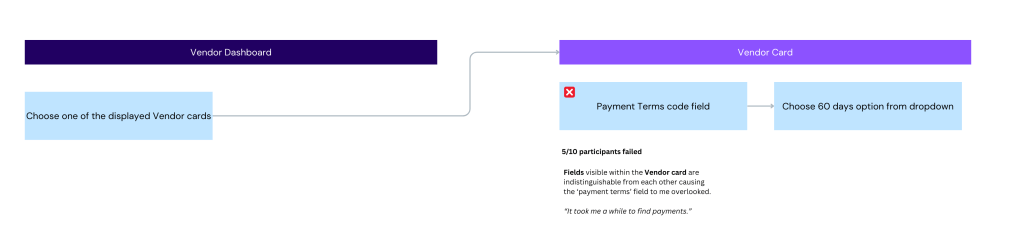
Instructions: The payment terms for the vendor have changed to Net 60 days. please update this change in the system.
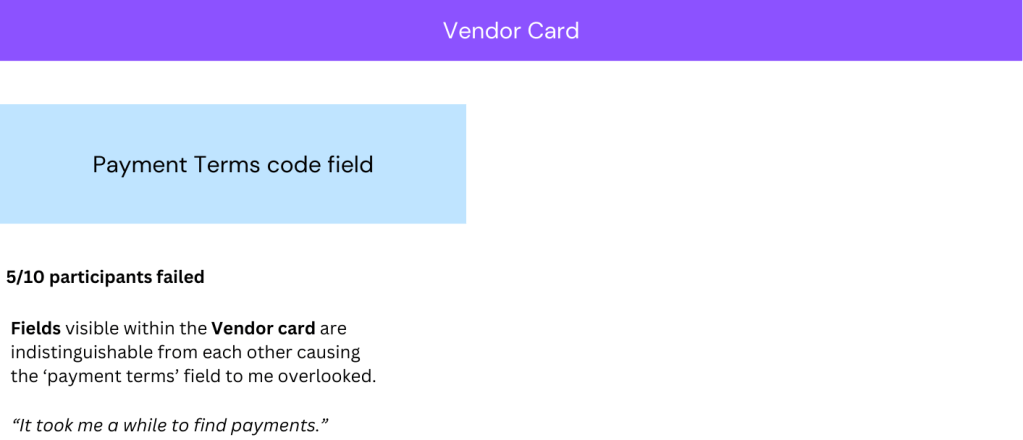
50% of participants failed this task. Despite all participants locating the vendor card, the fields presented within the cards lacked clear distinctions from one another. This caused significant difficulty finding the cell for changing the payment terms.
Immediately following the first task participants rated their initial impressions of the platform.
The goal of this metric is to gauge how much the platform pleased its participants. Upon completing the remaining tasks, participants were asked the same questions again to evaluate their total experience with the platform. Comparing the two sets of scores allows us to determine the degree to which the platform met participants’ expectations.
Task 2 Handel a Utility Bill
Success: 0%
Experience: 40%
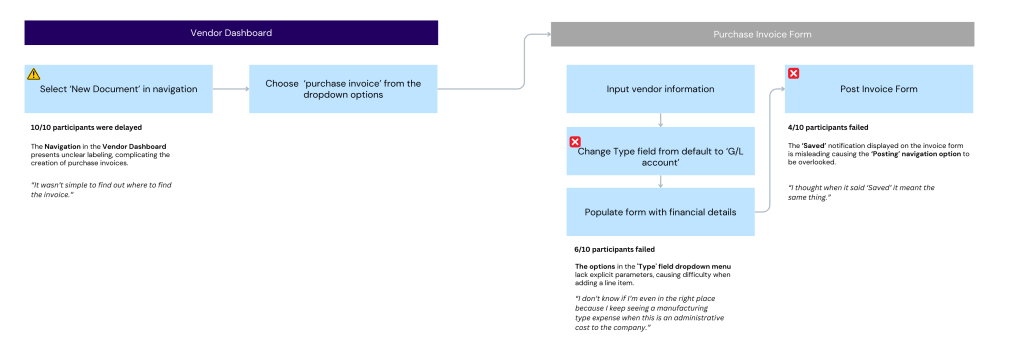
Instructions: You received an electricity bill. Go ahead and record the invoice in the system.
Three major issues arose:
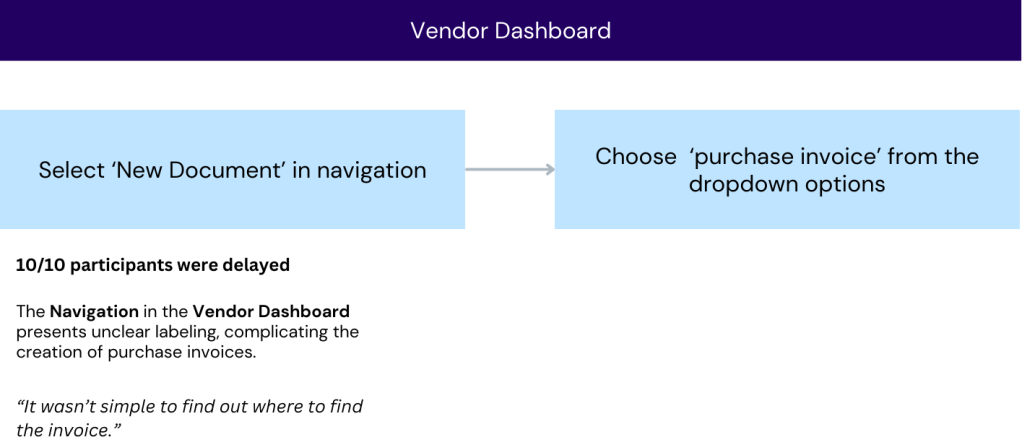
1. The navigation items on the vendor dashboard are used for adding new details and forms to a vendor account. However, those items do not appear to be related to the vendors listed. all of the participants clicked into the vendor card, as they expected all actions to be accessible from that page.
2. Each line item within the purchase invoice form requires it to be classified by a type. By clicking on the type field participants were presented with several options. to be successful in task, they needed to select ‘G/L account’. While they knew G/L stood for ‘general ledger’ some participants did not classify utilities as a general ledger expense. this caused them to click on all the remaining items and eventually abandon the task.
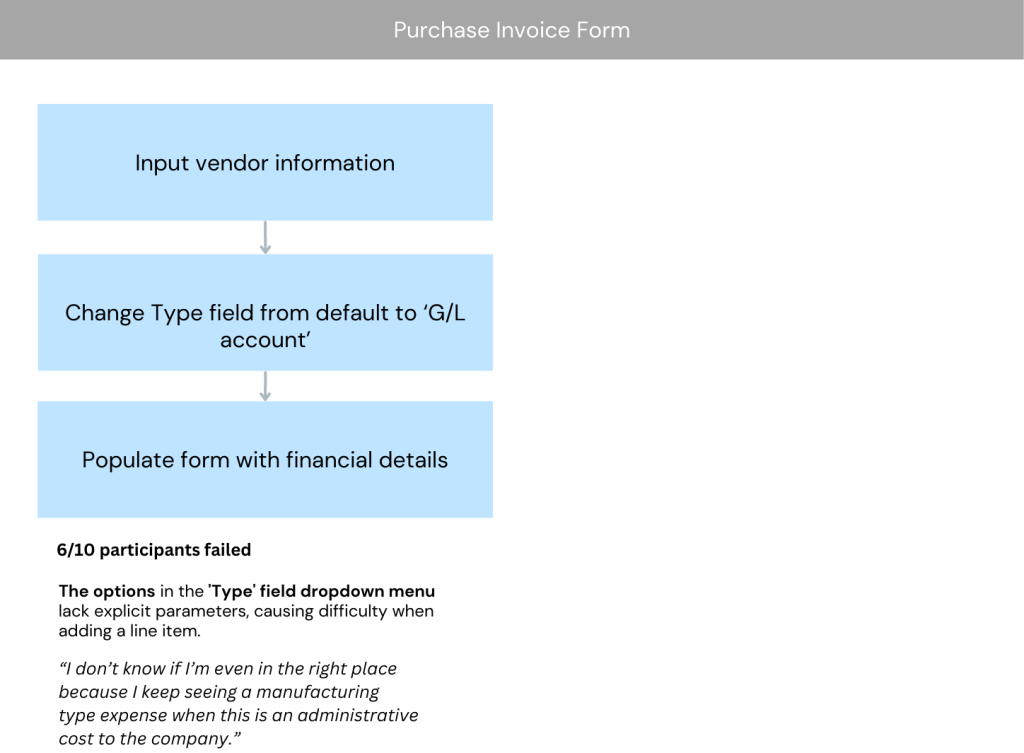
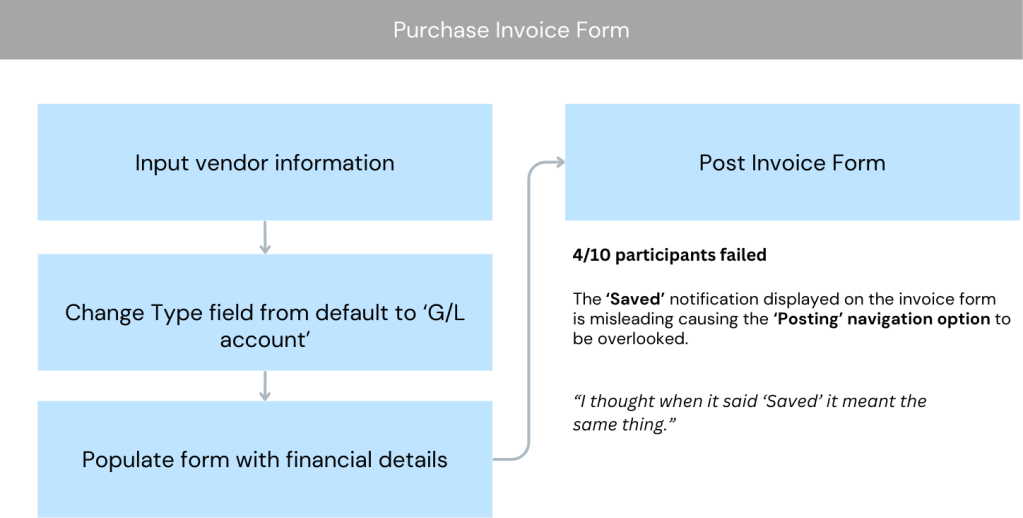
3. Once the purchase invoice is filled out, it needs to be manually posted. However, as details are added a notification at the top of the page indicates the purchase order details were saved automatically, leading some participants to believe the information was automatically added to the ledger.
Task 3 Create a purchase invoice for an expense
Success: 40%
Experience: 76%
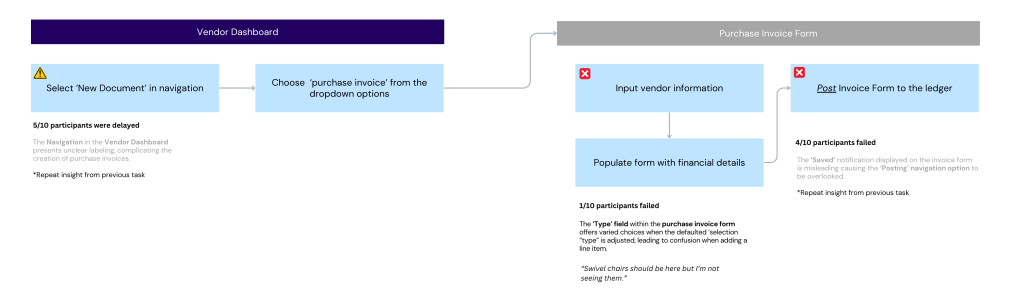
Instructions: The company bought 100 swivel chairs and emailed the vendor invoice. Record the invoice in the system.
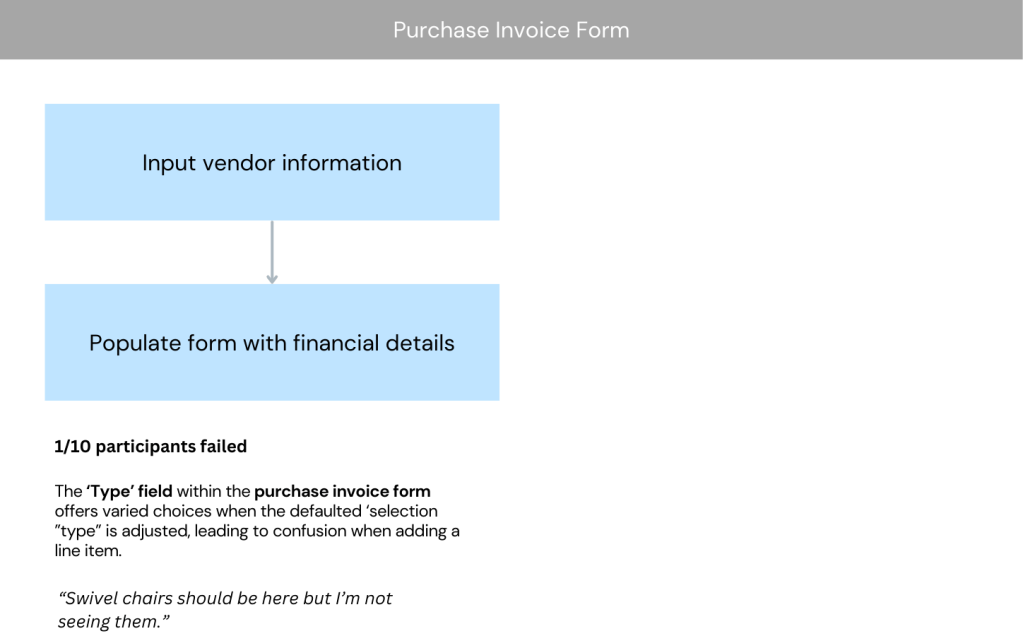
Completing this task is almost the same as the previous one. The sole distinction is that the ‘type’ field should remain set to the default ‘Type’. Altering it to a different option prevents the search for swivel chairs. This particularity led to one failure and several delays due to the default being switched to other available options in the type field.
The heightened experience resulted from participants concluding the task prematurely without posting the invoice. They believed the task was completed satisfactorily, not realizing that their invoice had gone unrecorded.
Task 4 Register payment for an invoice
Success: 40%
Experience: 30%
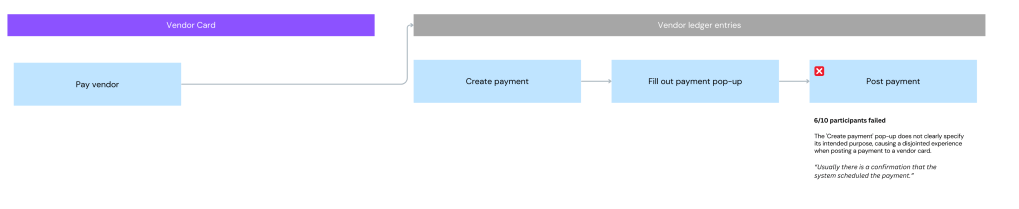
Instructions: The invoice for the 100 swivel chairs is due. Register full payment for the invoice in the system.
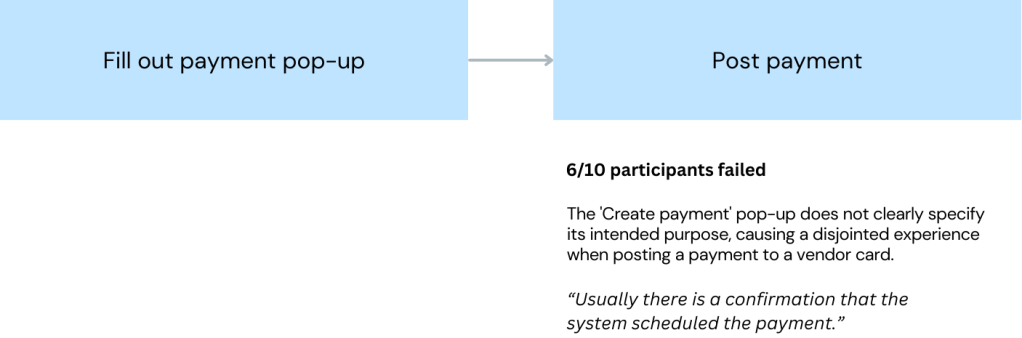
To complete the task, payments are registered on the vendor card by selecting ‘Pay Vendor’ and then ‘Create Payment,’ which generates a popup where all the necessary details are entered, such as choosing a bank account and the payment method.
The main confusion occurred after entering the required information and clicking ‘OK’; it was not clear that participants also needed to post the payment to the general ledger separately. They were confused when they went to the general ledger to verify the payment was scheduled to find no such action was recorded there.
Misleading flows were the primary reason for the low experience score. It’s worth noting that this was the lowest experience rating, mainly due to the frustration of encountering flows that required additional guidance to complete. Furthermore, if the flows were incomplete, the information was challenging to retrieve.
Task 5 Check outstanding balance
Success: 80%
Experience: 76%
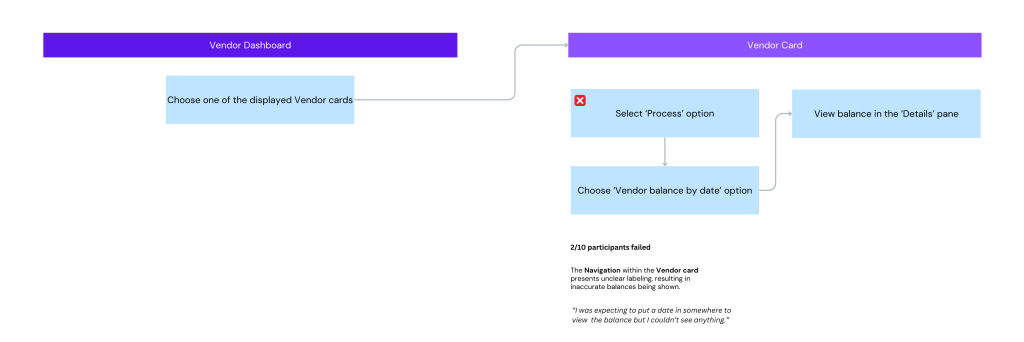
Instructions: Find out how much is owed to a vendor as of March 31st.
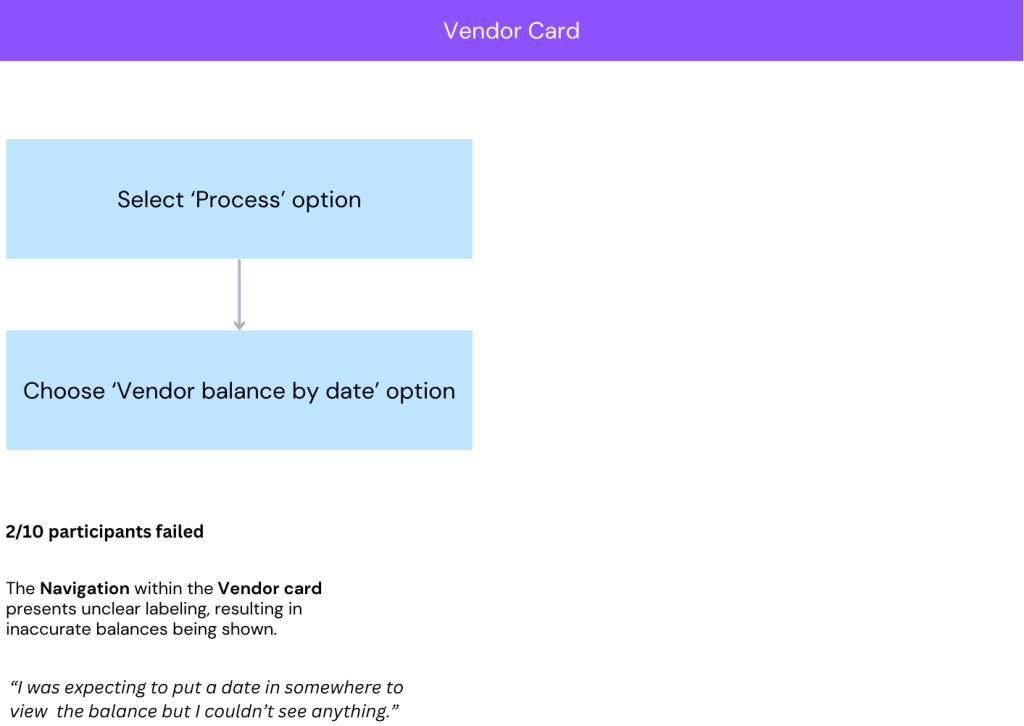
The problem encountered in this task mirrors the initial issue in task 2. Previously, a misalignment between vendor profiles and navigation menus led to them being overlooked. In the current task, the ‘Process’ navigation item was not recognized as the place to check owed balances, resulting in two participants not completing the task successfully.
Conclusion
Overall, the system produced suboptimal results due to difficulties in understanding the navigation options and encountering misleading workflows.
Recommendations include making the navigation headers more prominent, employing more relevant terminology, and ensuring the system offers more guidance during tasks.
Metrics Explained
- Experience Ratings
Upon completing each task, the following subjective measures are collected. The final task experience score represents the average percentage of participants who rated these measures as 4 (Agree) or 5 (Strongly Agree).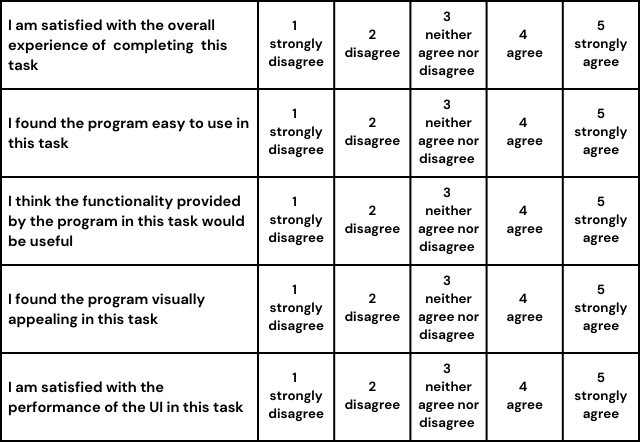
↩︎
 Elazar Weiner